If you work in industrial electrical maintenance, Variable Frequency Drives (VFDs) are everywhere. Pumps, fans, conveyors, mixers—if it spins, there’s a good chance it’s on a drive.
When a VFD faults and the line goes down, the drive is often blamed immediately. Sometimes that’s justified—but more often, the drive is reacting to a problem somewhere else in the system.
This post walks through common VFD fault codes, what they usually mean in the real world, and how I approach troubleshooting before condemning a drive.
For a deeper breakdown, see VFD Overcurrent vs Overload: How to Tell the Difference in the Field
The VFD Is a Troubleshooting Tool (Not a Black Box)
A VFD is not a mysterious black box—it’s one of the best diagnostic tools you have.
It gives you:
- Real‑time current data
- Voltage information
- Fault history
- Feedback values
- Load behavior
If a line has been running for weeks or months and suddenly faults, the issue is rarely a parameter change. Start with the fault, the load, and the environment.
Before diving into troubleshooting, take time to familiarize yourself with the drive keypad and available diagnostic screens. A quick glance at the manual often reveals fault details, operating states, and parameters that can save hours of unnecessary guesswork.
Why You Must Check the Drive Manual
Some drives:
- Display only a fault number
- Use the same code for multiple conditions
- Change fault behavior based on parameter settings
Never troubleshoot a VFD fault by name alone.
Two drives from different manufacturers can show the same code and mean completely different things.
Always confirm:
- Fault description
- Trip conditions
- Required reset method
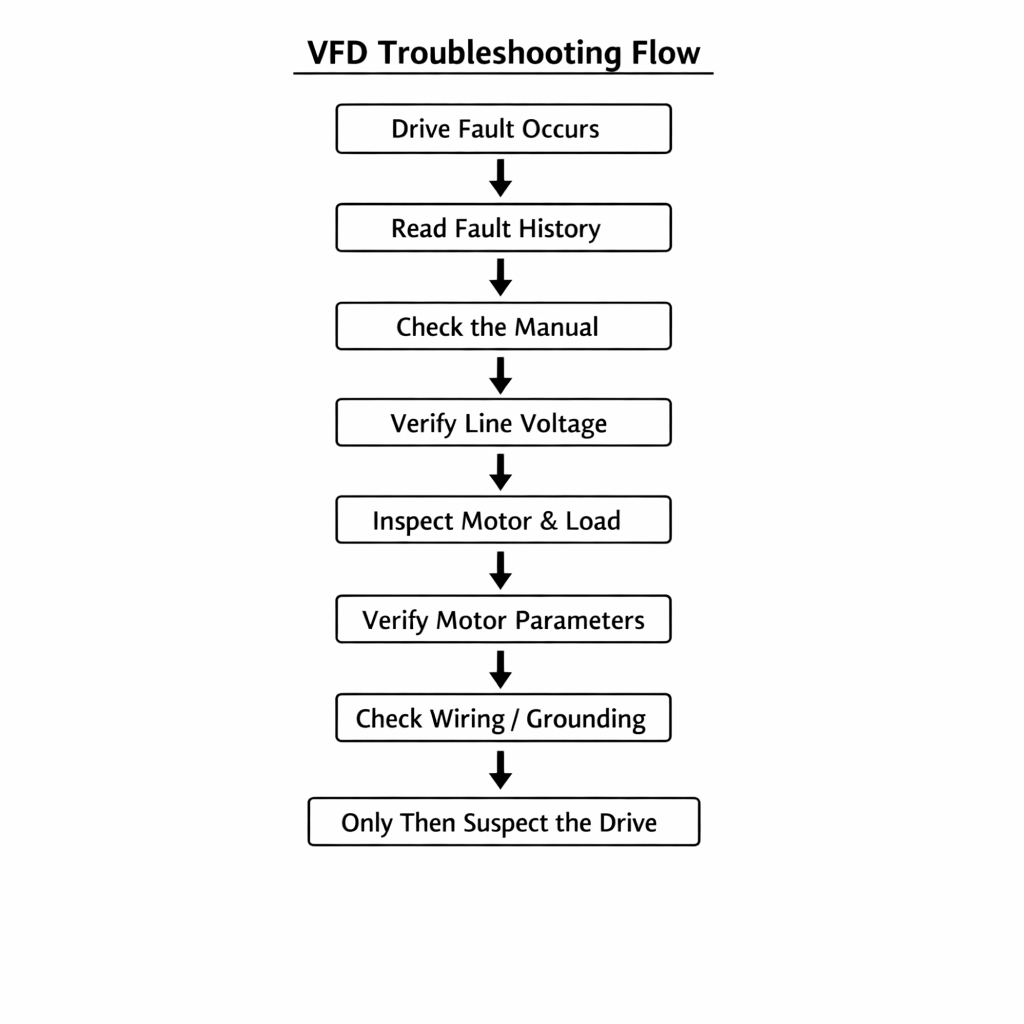
A Simple VFD Troubleshooting Flow
Use this order and you’ll avoid chasing symptoms:
- Read the active fault and fault history
- Look up the fault in the manufacturer’s manual
- Verify incoming line voltage
- Inspect the motor and mechanical load
- Verify parameters vs motor nameplate
- Inspect wiring, grounding, and shielding
- Suspect drive hardware only after everything else checks out
What a VFD Fault Is (and What It Isn’t)
A VFD fault is the drive telling you it detected a condition outside its safe operating limits. It does not automatically mean the drive itself is bad.
VFDs monitor:
- Output current
- DC bus voltage
- Motor feedback (when equipped)
- Temperature
- Communication status
When something doesn’t look right, the drive protects itself—and the motor—by tripping.
Common VFD Fault Codes and What They Usually Mean
Important: Always verify the exact fault description in the manufacturer’s manual.
Many drives only display a fault number, and meanings can vary by brand and firmware.
That said, these are the most common faults I see and what’s typically behind them.
Velocity / Speed Fault
What it usually means:
The drive is being commanded to a speed it cannot achieve.
Common causes:
- Encoder failure or misalignment
- Encoder wiring or shielding issues
- Feedback scaling set incorrectly
- Mechanical load too heavy
- Upstream equipment demanding an unrealistic speed
Field note:
If the line has been running fine and suddenly throws a speed fault, suspect feedback or mechanical load before touching parameters.
Overload Fault
What it usually means:
The motor has been pulling more current than expected for too long.
Common causes:
- Worn or failing bearings
- Jammed or binding equipment
- Process load increase
- Incorrect motor FLA programmed
- Motor cooling issues
Field note:
If the motor frame is hot, the drive is probably telling the truth.
Overcurrent Fault
What it usually means:
Current spiked faster than the drive can tolerate.
Common causes:
- Shorted motor leads
- Ground fault
- Acceleration time too short
- Motor wired incorrectly (delta vs wye)
- Severe mechanical binding
Field note:
If it trips instantly on start, think wiring or parameters—not the drive itself.
DC Bus Overvoltage
What it usually means:
Energy is being pushed back into the drive faster than it can dissipate.
Common causes:
- Deceleration time too aggressive
- High inertia loads
- No braking resistor installed
- Incoming line voltage already high
Field note:
These faults often occur during stopping, not starting.
Ground Fault
What it usually means:
Current is leaking to ground somewhere in the motor circuit.
Common causes:
- Motor insulation breakdown
- Moisture in conduit or motor junction box
- Damaged motor leads
- Improper grounding
Field note:
Disconnect the motor and megger it before condemning the drive.
Communication Fault
What it usually means:
The drive stopped receiving valid commands or data.
Common causes:
- Network cable issues
- PLC fault or program change
- Address conflicts
- Electrical noise on communication lines
Field note:
This is often a controls problem upstream, not a bad drive.
Final Thoughts
Most “bad drives” are victims of:
- Bad motors
- Bad loads
- Bad wiring
- Bad environments
Use the information the drive is giving you.
It’s trying to point you in the right direction.
 Industrial Electrical Troubleshooting
Leave a comment